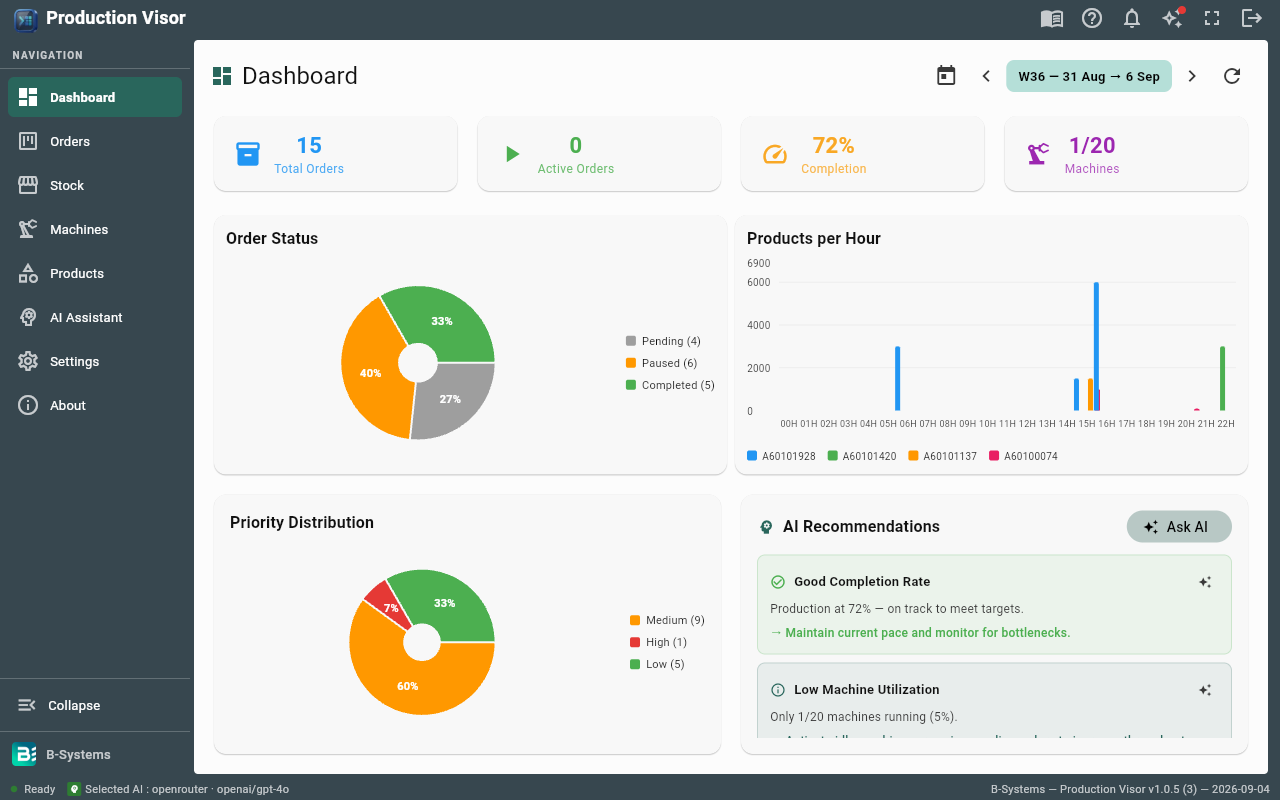
Dashboard
This week's key figures, refreshed in one click — decide faster, at the right level.
- Total and active orders
- Completion rate
- Running machines
- Status, priorities and hourly output
- Regenerable AI recommendations
- Week-by-week navigation
Production Visor
Shop-floor production control:
Kanban order board
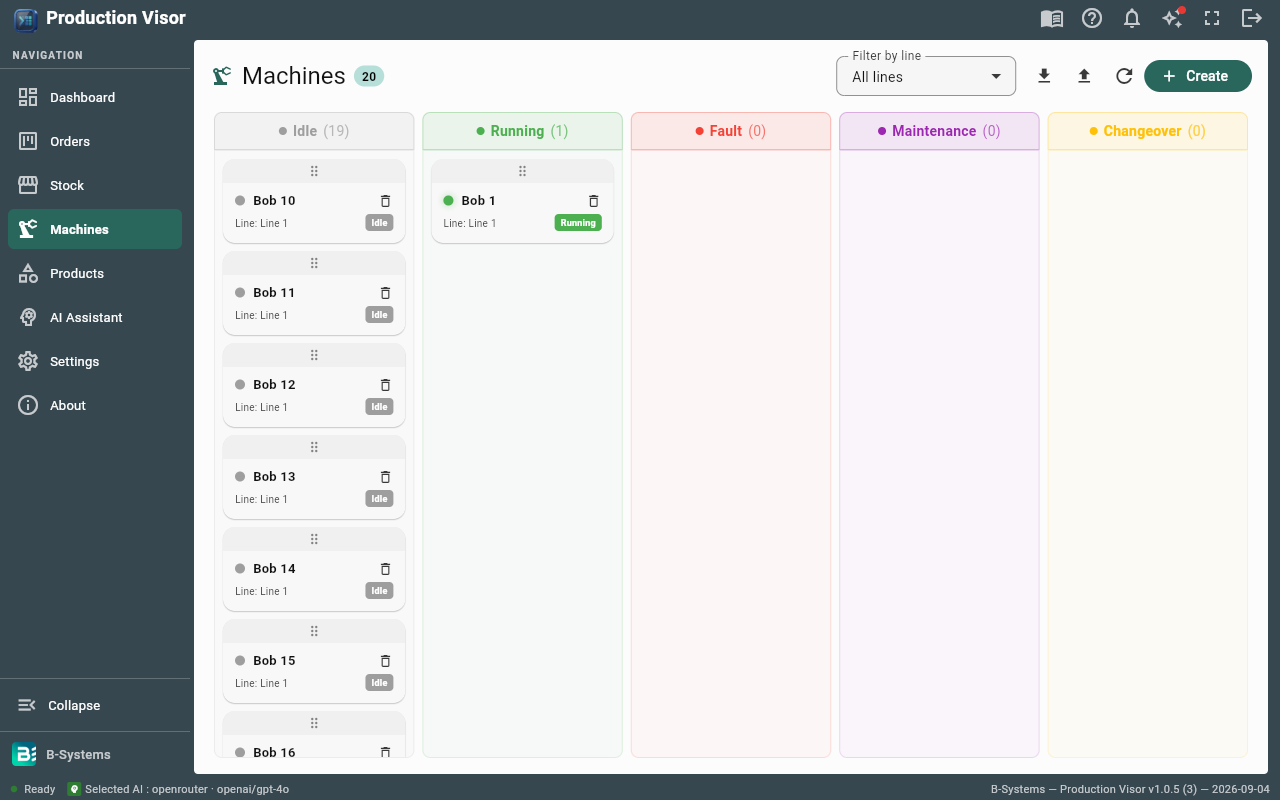
Machine statuses
Scan-based stock
KPI dashboard
Built-in AI assistant
Key features
Everything to hold the schedule: orders, machines, stock and KPIs — driven from a single screen.
This week's key figures, refreshed in one click — decide faster, at the right level.
One shared picture of production: what's done, what's left and in which order.
Natural-language questions, answers on your real data.
Included
Order tracking
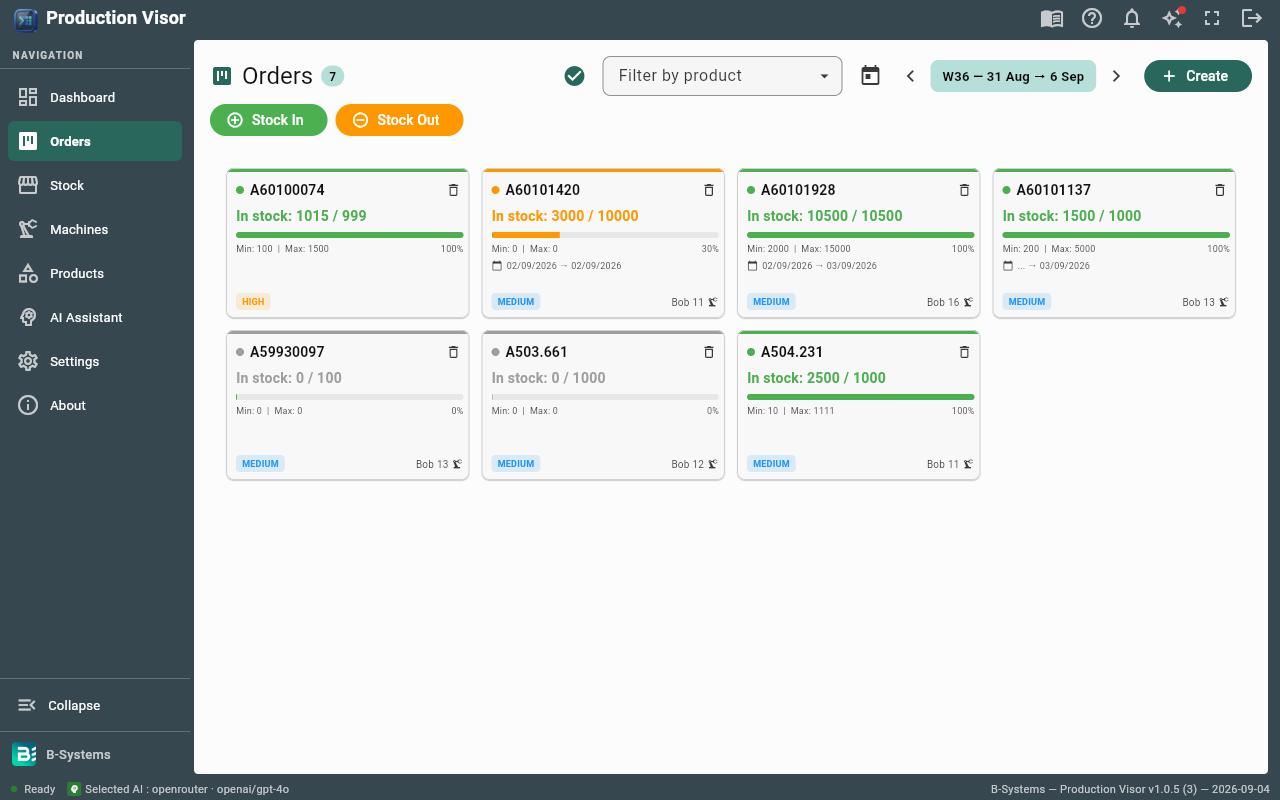
The Kanban board gives the whole team the same picture of production: this week's orders, their status and priorities — no paper board, no Excel export.
Late orders stand out immediately, so you react before a slip turns into a scheduling problem — not after.
One order per product per week, blocked at creation: your schedule stays reliable, with no duplicates or mix-ups.
Live inventory
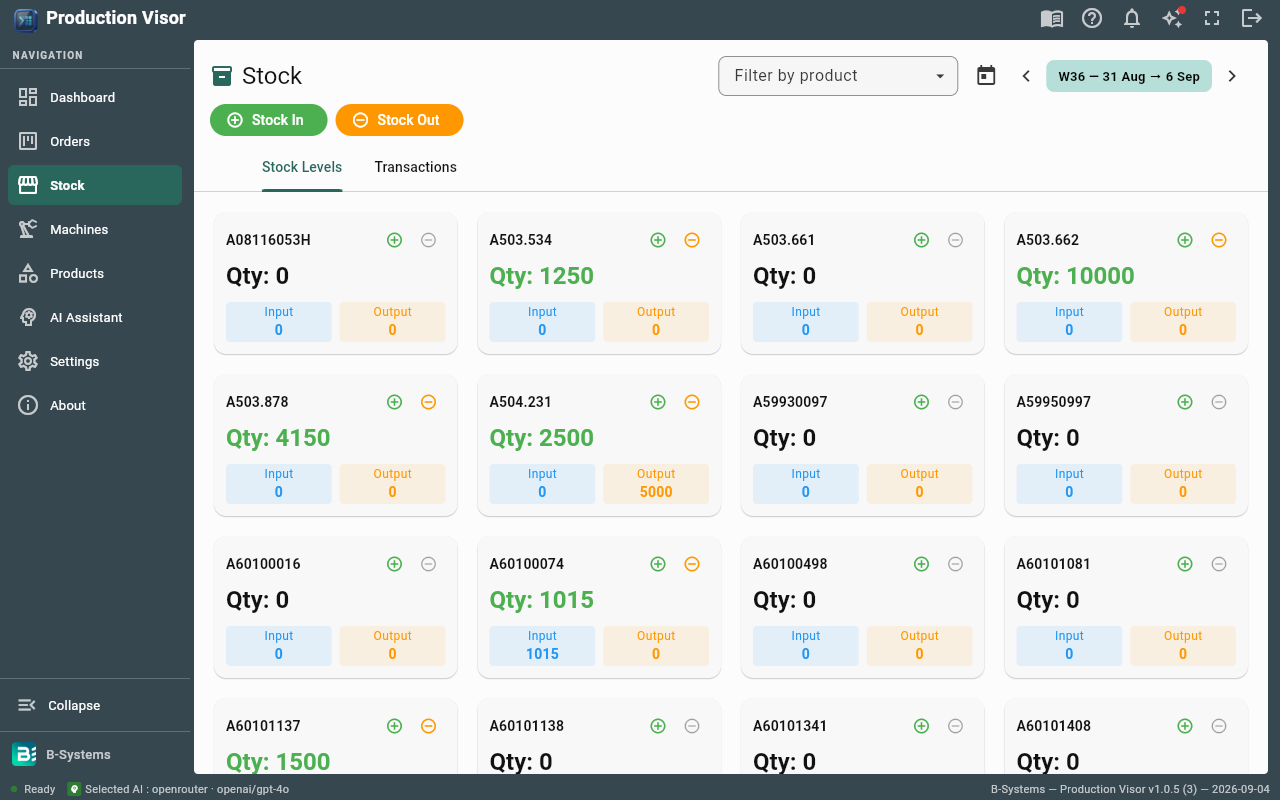
Quantities update on every scanned movement, so the numbers on screen are right when the shop floor needs them — no re-counting.
Serial numbers and the movement journal give you full traceability: what came in, what went out and when — for stocktakes, audits and quoting.
Entries and exits take one gesture, straight from the order card, using each product's package quantity.
Machine fleet
Every machine shows its status — running, fault or maintenance — and downtime appears live on the dashboard.
Cadences, lines and orders are linked, so you see the real impact of stoppages on output and your KPIs.
Import your fleet from CSV or Excel and get it back exactly as it is — ready to use.
Benefits
One order per product per week: no duplicates, no shop floor working the wrong job.
The AI answers and recommends from your real orders, machines and stock — never from guesses.
Scans and shared entries from the board: spreadsheets, re-typing and lost information are gone.
Operators, supervisors and managers only see and do what concerns them — simple and safe for everyone.
Deployment
Access from anywhere, automatic updates, no infrastructure costs
Local server installation, works on LAN and offline
Combine cloud accessibility with local data storage for sensitive operations
FAQ
Yes. Production Visor completes the Polymorf suite and exposes a GraphQL API to connect your other systems (CMMS, inventory, ERP).
Operator, supervisor, manager and admin, with different permissions. Accounts, departments and passwords are managed in Settings.
Groq, OpenRouter, Gemini, Azure OpenAI, or any OpenAI-compatible endpoint. The key can be configured in the app or via environment variables.
Yes, the interface is available in French and English, with a light or dark theme and customizable colors.
No. One order per product per week — the application blocks duplicates before creation.
Scheduling, OEE / RTM indicators and full order traceability.
Discover Production CAPMModules
Discover other Polymorf modules for a complete industrial solution.
Describe your lines, orders and stock flows — we reply within 24 hours with next steps.